Skills
Skills are reusable instruction sets that provide domain-specific workflows and guidance to OpenCode AI agents. They are stored as SKILL.md files and can be scoped globally or per-project.
Scopes
| Scope | Location | Description |
|---|---|---|
| Global | $WORKSPACE_PATH/.config/opencode/skills/<name>/SKILL.md (defaults to ./workspace/.config/opencode/skills/) | Available across all repositories |
| Project | <repo>/.opencode/skills/<name>/SKILL.md | Scoped to a specific repository |
Both scopes are mounted into the microVM when sandboxing is enforced, so a skill that bundles scripts or reference files can run them from a sandboxed bash call. Because the mount is writable, an agent command can also modify a global skill, which affects every later session in every repository.
Skill File Format
Each skill is a SKILL.md file with YAML frontmatter and a markdown body:
---
name: my-skill
description: Short description of what this skill does
---
Your skill instructions go here. This is the content that gets
injected into the AI agent's context when the skill is loaded.
Frontmatter Fields
| Field | Required | Description |
|---|---|---|
name | Yes | Lowercase alphanumeric with hyphens (e.g., my-skill). Max 64 characters. |
description | Yes | What the skill does. Max 1024 characters. |
Naming Rules
Skill names must match the pattern ^[a-z0-9]+(-[a-z0-9]+)*$:
- Lowercase letters and numbers only
- Hyphens allowed between words
- No spaces, underscores, or uppercase letters
- Examples:
test-skill,code-review,deploy-helper
Managing Skills
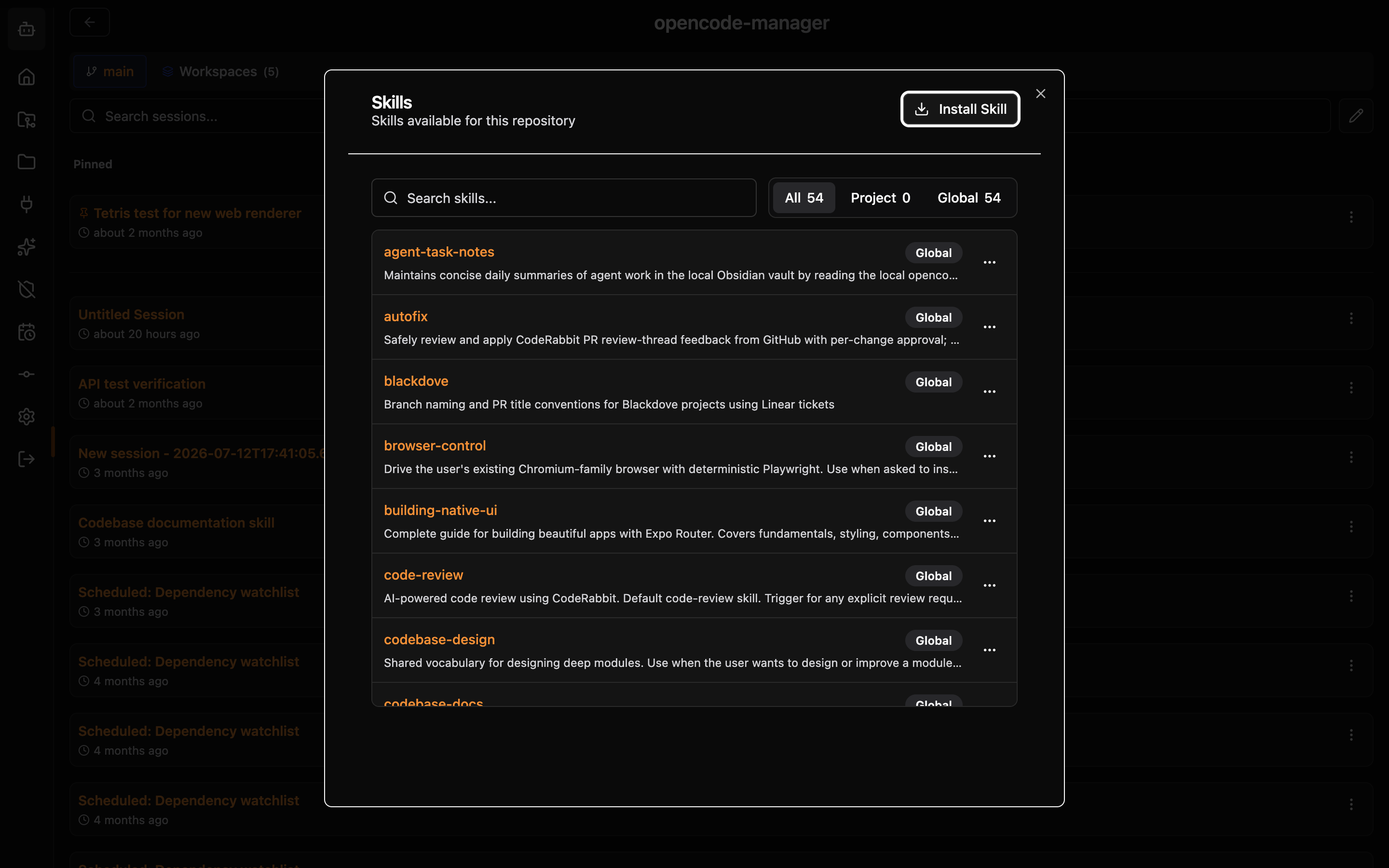
Create and edit skills in Settings → OpenCode Config → Skills. The Skills panel in a repository's sidebar lists the skills available there and can install, delete, and load them into a session. Skills can also be managed through the API.
API Endpoints
All paths are relative to /api/settings. repoId is required whenever scope=project.
| Method | Path | Description |
|---|---|---|
GET | /skills | List all skills (optional ?repoId= or ?directory= filter) |
POST | /skills/install | Install a skill from a GitHub URL (JSON body with sourceType: "github", url, scope, repoId, overwrite) or from uploaded files (multipart form) |
GET | /skills/:name | Get a specific skill (requires scope query param) |
POST | /skills | Create a new skill |
PUT | /skills/:name | Update an existing skill (requires scope query param) |
DELETE | /skills/:name | Delete a skill (requires scope query param) |
Create Request
{
  "name": "my-skill",
  "description": "Runs type check and lint",
  "body": "Instructions for the AI agent...",
  "scope": "global"
}
repoId is required when scope is "project".
Update Request
All fields are optional. Omit fields you do not want to change.
{
  "description": "Updated description",
  "body": "Updated instructions"
}